From Projects to Production: What an AI Operations Platform Actually Does for Trade Contractors
Move from managing individual projects to production-scale operations with an AI platform that streamlines resources, predicts delays, and improves efficiency.
 Sneha Kumari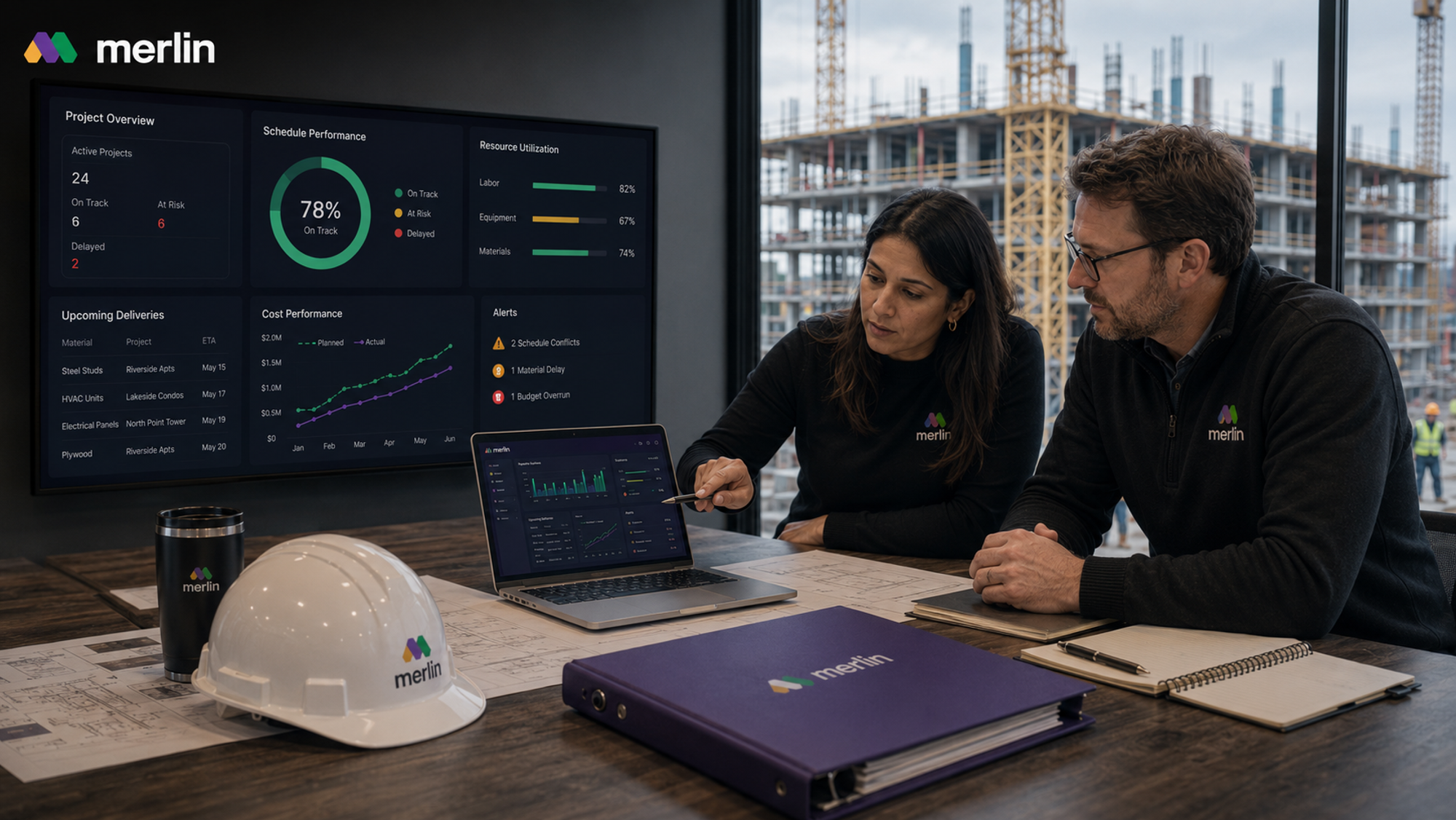
Every trade contractor starts out managing one project at a time: win the bid, staff the crew, get through the punch list, move to the next site. That works fine until a business is running ten, twenty, or fifty jobs at once, and at that scale, tracking everything on a whiteboard or across a dozen separate spreadsheets stops holding up. What used to be a series of individual projects starts looking more like a production operation, and running it well takes a different kind of software.
This guide looks at what an AI operations platform, like MerlinAI, actually does once a trade contractor makes that shift. That includes how resource management software gives a business one live view of every job, how these platforms catch delays, material gaps, and cost overruns before they become real problems, and how they cut down the manual checking that eats up a manager's day. Along the way, we will also look at how ideas borrowed from manufacturing resource planning software are shaping what the best resource management software for construction actually looks like today.
AI Construction Operations Software: A Guide for Trade Contractors Moving from Projects to Production
Most trade contractors start out running one project at a time. A crew wins a job, works it from start to finish, and moves to the next. That approach works fine at a small scale, but it breaks down once a contractor is juggling ten, twenty, or fifty active jobs across different sites. At that point, the business is not really running projects anymore. It is running production, the same way a manufacturer runs a factory floor, just spread across job sites instead of one building.
This is where resource management software comes in. Instead of tracking crews, equipment, and materials job by job in separate spreadsheets or on a whiteboard in the office, a proper construction resource management software platform gives a contractor one live view of every active job at once: who is working where today, what materials are arriving this week, and which crews are sitting idle while others are overbooked.
The idea borrows heavily from manufacturing resource planning software, a category built decades ago to help factories plan labor, machine time, and raw materials against demand. Trade contractors doing repeat scopes, whether that is framing tract housing, running MEP packages across a multi family portfolio, or working across several sites of modular and prefabricated construction, are effectively running a production line. The tools built for that kind of operation look a lot more like an operations platform than a traditional project management tool built around a single job's schedule and punch list.
How Can Contractors Anticipate Delays, Material Gaps, and Cost Overruns with AI Platforms?
Delays, material shortages, and budget overruns rarely show up out of nowhere. In most cases, the warning signs were sitting in a schedule, a purchase order, or a labor report days or weeks before the actual problem hit. The issue is that in most jobs, nobody is checking all of those signals together until something has already gone wrong.
An AI operations platform works by pulling schedule, procurement, and labor data into one place and checking it against itself continuously, rather than waiting for a weekly meeting or a site visit to catch a conflict.
- Delays: the platform flags a scheduling conflict as soon as two dependent tasks or crews overlap in a way that will not physically work, rather than letting the conflict surface once a crew shows up to a site that is not ready for them.
- Material gaps: by tracking supplier lead times against the job schedule, the system can flag a material order the moment its expected arrival slips past when it is actually needed on site, not after a crew is standing around waiting for it.
- Cost overruns: comparing planned labor hours and material spend against actual figures as the job progresses means a budget gap shows up while there is still time to act on it, instead of appearing as a surprise on the final invoice.
This is closer to how manufacturing resource planning software has worked for years in factories: watching capacity, materials, and demand together so a shortage or delay gets caught upstream, before it reaches the production line. Applied to construction, the same logic means a contractor finds out about a problem while it is still fixable, not after it has already cost time and money.
How AI Platforms Help Contractors Reduce Manual Oversight in Construction Operations
A lot of the daily work in running multiple job sites is not building anything. It is checking in: calling a foreman for a status update, updating a spreadsheet by hand, walking a site to confirm what has actually been done versus what was supposed to happen. None of that moves a project forward on its own, but skipping it is what lets small problems turn into big ones.
This is where dynamic resource management takes over most of that checking in work. Crews and subs log progress from the field, and that information updates a shared dashboard automatically instead of getting typed into a spreadsheet later that day or week. A project manager overseeing a dozen sites does not need to review every job line by line every morning. Instead, the system surfaces only the jobs that are actually off track, so attention goes where it is needed rather than getting spread evenly across everything, including the sites that are running fine on their own.
This is really what separates the best resource management software from a basic scheduling tool. A basic tool still requires someone to look at it constantly to catch a problem. A stronger platform is built to flag the problem on its own, which is what actually reduces manual oversight rather than just moving the same manual checking into a nicer interface.
Frequently Asked Questions
1. What is an AI operations platform for trade contractors?
An AI operations platform is software built to manage a contracting business across every active job at once, rather than one project at a time. It centralizes crew scheduling, material tracking, and job progress so a manager gets one connected view of labor, materials, and cost across every site. This is closer to construction resource management software than a single project scheduling tool built around one job.
2. How is resource management software different from a project management tool?
A project management tool is usually built around a single job: one schedule, one task list, one budget. Resource management software instead looks at the resources themselves (crews, equipment, materials) across every active job at the same time, so a scheduler can see that a crew is double booked across two sites, or that one job has surplus equipment sitting idle while another is short, something a single project view cannot show.
3. Can manufacturing resource planning concepts really apply to construction? Yes, particularly for contractors running repeat scopes such as modular assemblies, tract housing, or multi site MEP packages. Manufacturing resource planning software was built to plan labor, machine capacity, and materials against demand in a factory. A contractor running the same scope across many sites is managing a similar planning problem, just spread across locations instead of one production floor.
4. What should a contractor look for in the best resource management software?
The strongest platforms share a few traits: they pull live data from the field instead of relying on manual updates, they flag problems automatically rather than requiring someone to review every job constantly, and they are built around construction specific workflows such as trade sequencing, material lead times, and inspections, rather than adapted from generic manufacturing or office software. For a closer look at how to compare options, see choosing the best construction management software
5. How long does it take a trade contractor to get value from an AI operations platform?
Most contractors see the first benefit, catching a scheduling conflict or material gap before it causes a delay, within the first few active jobs after setup, since the platform only needs current schedule, crew, and procurement data to start flagging issues. Full value, such as fewer manual check ins across a large job list, typically builds over the following few months as more of the field team adopts logging progress through the platform.