Construction Procurement Automation: Which Purchasing Tasks Should Contractors Automate?
Learn which construction procurement tasks contractors should automate, from purchase requisitions and three-way matching to invoice processing and bid leveling.
 Sneha Kumari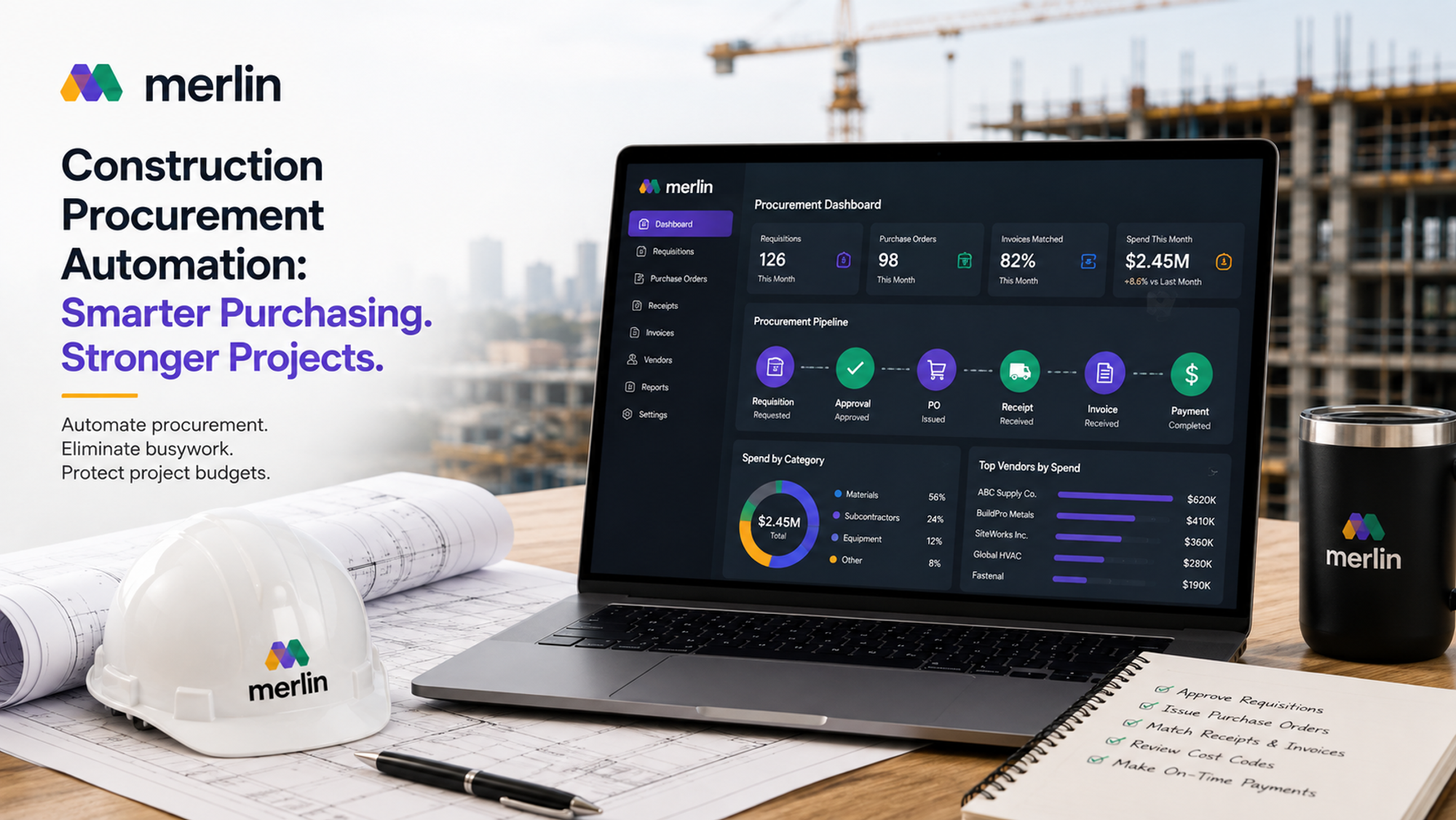
Construction procurement automation software is spreading through contractor back offices for a simple reason: purchasing on a construction job produces more paperwork per dollar spent than almost any other kind of buying, and most of that paperwork does not need a person to move it from one step to the next. Requisitions, purchase orders, delivery matching, and invoice coding all follow rules that software can apply consistently, while the decisions that actually require judgment, who wins a bid, how a dispute gets resolved, what happens when scope changes, still need a person at the table.
The question most contractors are really asking is not whether to automate procurement, but which purchasing tasks to hand to software first and which ones to keep a person owning. This blog walks through where construction procurement automation fits into the purchasing process, which tasks are strong candidates for automation, how to manage purchase requisitions well, and what to automate on the accounts payable side, from three way matching to catching cost errors before they eat into margin. It closes with the specific features worth checking for in construction procurement automation software, including what changes for contractors running construction procurement automation software USA wide across multiple states and tax jurisdictions.
What Is Construction Procurement Automation and Where Does It Fit in the Purchasing Process?
Construction procurement automation is the use of software to run the repetitive, rule based steps of buying materials, equipment, and services on a job: the requisition, approval, purchase order, delivery match, and invoice steps, without a person retyping the same information into several different systems. It does not replace procurement decisions. It replaces the manual data entry and chasing that surrounds those decisions.
On a typical project, the purchasing process moves through six stages: a site team member requests something, a manager approves it, a purchase order goes out to the supplier, the material or service arrives, the invoice comes in, and accounts payable pays it once everything lines up. In a paper or spreadsheet based operation, each handoff is a place where a request sits in an inbox, a PO gets typed from scratch, or an invoice is checked against a printed packing slip by hand. Construction procurement automation software connects these stages so information flows from one to the next automatically, and a person only steps in when a decision or an exception needs attention.
This matters more in construction than in most industries because purchasing here is tied to individual jobs, cost codes, and budgets rather than a single central warehouse. A purpose built construction ERP accounts for that by keeping procurement data connected to the project budget it draws from, so automation here is not just about speed. It is about keeping every purchase visible against the number it is supposed to come out of.
Which Construction Purchasing Tasks Should Be Automated and Which Still Need Human Oversight?
As a general rule: automate the tasks that are repetitive, rule based, and free of judgment calls, and keep a person involved wherever a decision depends on relationships, risk, or a scope judgment that software cannot see.
Good candidates for automation:
- Routing purchase requisitions to the correct approver based on cost code, project, or dollar threshold
- Generating purchase orders from an approved requisition without retyping line items
- Matching purchase orders, delivery receipts, and invoices for quantity and price agreement
- Coding invoices to the correct job and cost code
- Sending reminders when an approval or a delivery is overdue
- Flagging price variances against the original quote or PO
Tasks that still need a person:
- Choosing which vendor wins the award on a close bid, since price is only one factor alongside reliability and past performance
- Approving change orders that shift project scope
- Handling a dispute with a supplier over a damaged or incorrect delivery
- Negotiating payment terms or pricing with a new vendor
- Making subcontractor and supplier procurement decisions that involve trade sequencing or site coordination risk
The dividing line is judgment. If the correct outcome can be defined by a rule (does the invoice match the PO, is the requisition within budget, has this approval sat untouched for three days), automation handles it well. If the correct outcome depends on weighing factors a computer cannot fully see, a buyer or project manager should stay in the loop.
5 Best Practices for Managing Construction Purchase Requisitions
A construction purchase requisition is the starting point of the entire procurement chain, so getting this step right has an outsized effect on everything downstream. Five practices make purchase requisition automation actually work in the field rather than just on paper.
- Standardize the requisition form across every project: one format, the same required fields (cost code, quantity, needed by date, project) on every job, so the software has consistent data to route and match later.
- Route by cost code and dollar threshold, not by name: requisitions should go to whoever owns that budget line automatically, so approval does not stall because a specific manager is on site or unreachable.
- Attach specs, drawings, or a photo at the point of request: this cuts down the back and forth between the requester and the supplier and reduces wrong or substitute deliveries.
- Set automatic escalation timers on approvals: if a requisition sits untouched past a set number of hours, it should escalate to a backup approver rather than wait for someone to notice.
- Tie every requisition to a live budget line before it is approved: this is what separates real purchase requisition automation from a simple digital form. The system should check the remaining budget on that cost code before the money is committed, not after.
Requisitions that feed directly into materials management built for real stock visibility also cut down on duplicate ordering, since the system already knows what is on hand before a new request goes out.
Automating the Three Way Match Between Purchase Orders, Delivery Receipts, and Invoices
The three way match is the comparison of a purchase order, a delivery receipt, and a supplier invoice to confirm the quantity and price on all three agree before payment goes out. Automating it means software performs that comparison line by line and sends only the exceptions, the mismatches, to a person, instead of every single invoice.
In a manual process, someone on the accounts payable team pulls the original PO, finds the signed delivery ticket, lays the invoice next to both, and checks quantities and unit prices by hand. On a job with dozens of line items and split deliveries, this takes real time and still misses errors. Construction accounts payable automation runs this check the moment an invoice is entered, comparing it against the PO and the recorded delivery, and clears anything that matches within a set tolerance straight through for payment.
Construction specific wrinkles worth planning for:
- Partial deliveries, where one PO is filled across several shipments and each needs its own match against the invoice covering it
- Freight, fuel surcharges, or restocking fees added to an invoice that were not on the original PO
- Retainage held back from a payment, which needs to net out separately from the match itself
- Backordered items that arrive weeks after the invoice for the rest of the order
Matching accuracy also depends on how well procurement data connects to the budget behind it. Systems built around automated expense tracking tied to purchase orders and project progress can flag a mismatch and update the live budget position in the same step, so a finance team sees the exception and its cost impact together, not days apart.
Using AI to Catch Cost Errors and Speed Up Invoice Processing
AI speeds up invoice processing by reading incoming invoices automatically, pulling out line items and prices without manual data entry, and comparing those numbers against the PO and historical vendor pricing to flag anything unusual before a person ever opens the invoice.
Three types of errors AI is well suited to catch:
- Duplicate invoices, where the same invoice number or the same charge is submitted twice, sometimes by accident and sometimes not
- Price creep, where a vendor's unit price on an invoice is higher than what was quoted or historically charged for the same item
- Quantity overbilling, where the invoiced amount exceeds what the delivery receipt or the PO actually supports
Beyond error catching, this speed has a direct financial benefit: invoices that clear quickly are invoices a contractor can pay inside early payment discount windows, and coding errors caught before an invoice posts mean cleaner job cost reports at month end. That accuracy matters most on the line items that eat into margin, Construction accounts payable automation built around this kind of checking turns invoice processing from a bottleneck at month end into something that clears continuously through the month.
Bid Leveling and Supplier Quote Comparison: Where Automation Can Help
Automation helps bid leveling by pulling incoming quotes into one standardized format, lining up pricing item by item across vendors, and flagging scope gaps where one bidder left something out, so the comparison a buyer looks at is apples to apples rather than several differently formatted PDFs.
Where this saves the most time:
- Normalizing unit pricing so a buyer is comparing the same scope, not just the bottom line total
- Flagging missing line items, where a lower total bid quietly leaves out a portion of the work
- Tracking how a vendor's pricing this quarter compares to their historical pricing on similar work
- Building the leveling sheet automatically instead of by hand in a spreadsheet for each bid package
What automation should not do is make the final award decision on its own. Price is one input, but on time delivery history, quality on past work, and how well a supplier coordinates around a live site all belong in that call, and those come from experience the software does not have. This ties closely to the thinking laid out in a construction supplier pricing strategy, where the lowest number on paper is not always the best deal once the full chain of pricing pressure is accounted for. Automation gets the comparison ready. A buyer still makes the call.
What Construction Specific Features Should You Look for in Procurement Automation Software?
Look for construction procurement automation software that ties purchasing to individual project budgets and cost codes, works from the field on a phone, and handles the compliance and tax realities of running jobs across different states, not generic purchasing software with construction terminology added on top afterward.
Features worth checking for specifically:
- Job costing integration, so every purchase order and invoice posts against the correct project and cost code automatically
- Mobile requisitions, so a superintendent can submit and approve a request from a job site without going back to an office
- Multi project budget visibility, showing committed and actual spend across every open job in one view
- Vendor compliance tracking, flagging expired insurance certificates or licenses before a PO goes out
- Retainage handling built into the payment and matching workflow, not added on as a manual adjustment
- Support for state by state differences in sales tax, lien law, and payment terms, a detail that matters for any construction procurement automation software USA contractors run across more than one state
- Integration with the accounting systems contractors already run, rather than requiring a second system of record
These are the features that separate a construction ERP built around materials, labor, and cost modules from a general purchasing tool with construction terms layered on top. The difference shows up the first time a change order hits a live PO or a multi state job needs different tax handling on the same purchase order template.
Frequently Asked Questions
What is the difference between construction procurement automation and general procurement software?
General procurement software is usually built around a single warehouse or department buying from a fixed vendor list. Construction procurement automation is built around individual projects, cost codes, and budgets that change as a job progresses, and it needs to handle retainage, job costing, and field based requests that general procurement tools are not designed for.
Does purchase requisition automation replace project manager approval?
No. Purchase requisition automation removes the manual routing, data entry, and follow up around a request. The approval decision itself, whether a purchase makes sense for the budget and the schedule, still belongs to the project manager or whoever owns that cost code.
How long does it take to implement construction accounts payable automation?
This depends on how many projects, vendors, and existing systems need to connect, but most contractors see the biggest early gains from automating the three way match and invoice coding first, since those are the most repetitive tasks, and can expand automation into requisitions and bid leveling from there.
Can procurement automation handle multiple projects and job costs at once? Yes, and it should. Construction procurement automation software that is actually built for the industry tracks committed and actual spend by project and cost code separately, so a purchase order on one job never gets confused with spend on another.
Is construction procurement automation software worth it for small or mid size contractors?
It is often worth it precisely because smaller teams have fewer people to absorb manual purchasing work. A contractor running a handful of projects with one or two people handling purchasing and accounts payable tends to feel the time savings from automated matching and invoice coding immediately, since there is less slack in the team to catch errors by hand.