Construction Project Management Software for Budget Control: Managing Costs, Commitments, and Changes
Learn how construction project management software improves budget control by tracking commitments, change orders, invoices, contingency, cost variances, and forecast final costs.
 Sneha Kumari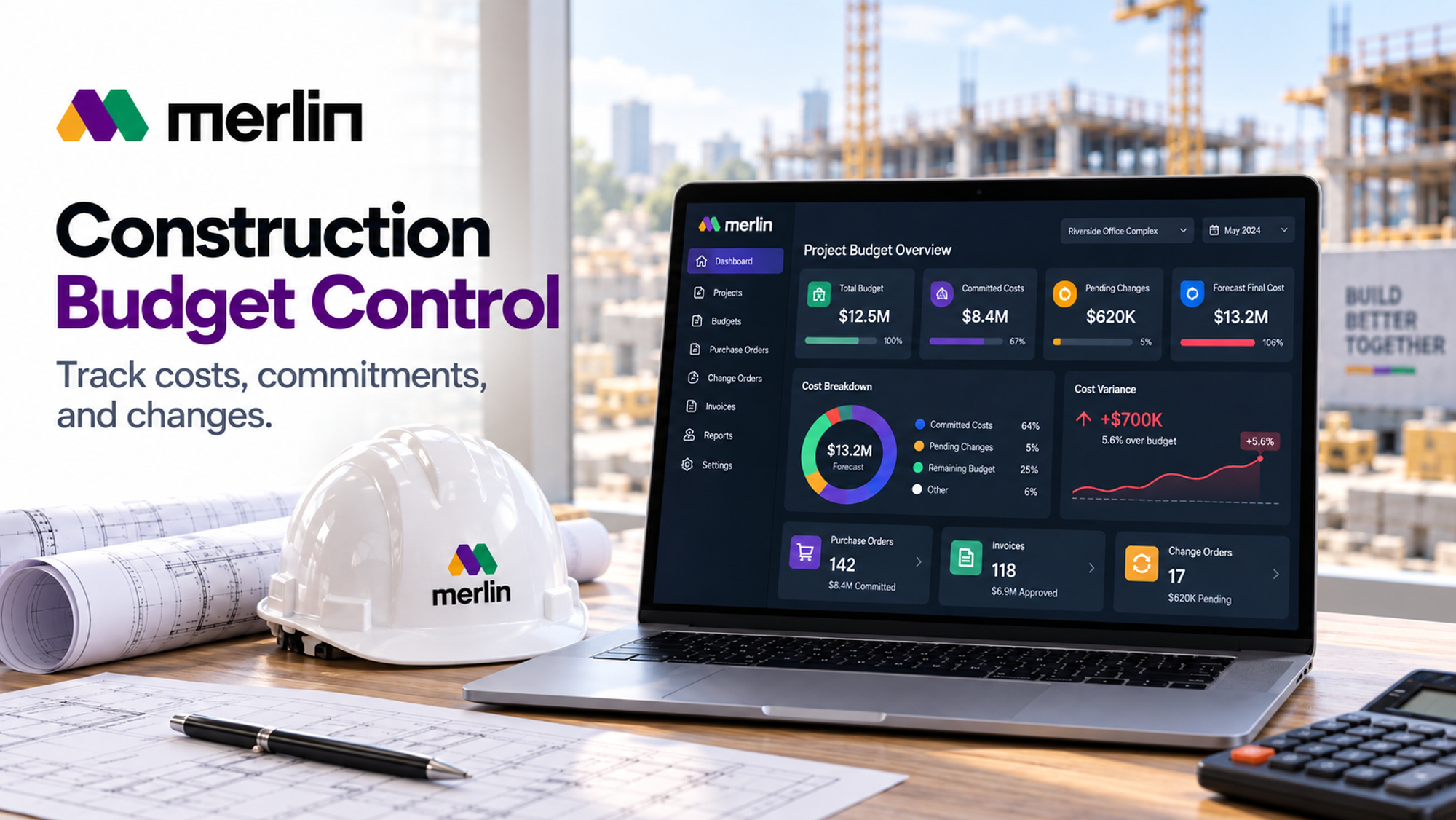
Most construction budgets are not lost in one dramatic moment. They erode through a purchase order approved without checking what was left, a subcontract variation agreed on site and never priced, and an invoice paid for work that was only half finished. By the time the monthly report exposes the gap, the money is committed and the options are few.
Construction project management software for budget control changes when those problems surface. By placing every commitment, change, and invoice against the budget while decisions are still open, it lets teams correct small variances early.
How Construction Project Management Software Improves Budget Control
Construction project management software improves budget control by placing every cost event (the approved budget, purchase orders, subcontracts, change orders, and invoices) in one system and checking it against the budget before money is committed, not after it is spent. That shift, from reporting the past to governing the next decision, turns construction budget control into a daily discipline.
In a manual setup, the budget sits in one spreadsheet, commitments in another, and invoices in an accounting system the project team rarely sees. By the time someone combines them, the numbers are weeks old. Construction project management software closes that gap in three ways:
- Earlier visibility: A commitment appears the moment a purchase order or subcontract is issued, so the remaining budget is known while there is still room to act.
- Enforced approvals: Spending beyond a cost code's available budget or an approver's limit is routed for authorisation instead of slipping through.
- One version of the numbers: Site teams, project managers, and finance work from the same budget, commitments, and forecast.
This is also where construction specific tools differ from general task trackers, which record tasks and deadlines but rarely understand cost codes, commitments, retention, or change order status. Software built for construction treats those as core records, so it can show how much budget is genuinely still available.
How a Centralised Construction Management Platform Connects Budgets, Procurement, and Site Progress
A centralised construction management platform connects budgets, procurement, and site progress by tying all three to the same cost codes and project records. A purchase order draws against a specific budget line, site progress and receipts determine what can be invoiced, and every invoice is checked against both. Nobody enters the same data twice, so the three views stay in step.
The chain works as a sequence:
- Budget: The approved estimate becomes a budget for each cost code and sets the spending limit.
- Procurement: Purchase orders and subcontracts convert budget into commitments.
- Site progress: Deliveries and percentage complete show how much of each commitment is fulfilled.
- Payment: Invoices and payment applications are validated against that progress and the commitment balance.
- Forecast: Every event above updates the projected final cost.
Without these links, procurement buys against budget a change has already consumed and finance pays for work that is only partly finished. This is the principle behind MerlinAI's construction ERP, which brings estimating, project management, materials management, and financial management into one platform. For a closer look at how materials, labour, and cost tracking work together, see this guide to construction cost management software.
Essential Software Features for Construction Budgeting
The essential features for construction budgeting are configurable cost codes and budget structures, approval workflows with access controls and audit trails, integration with purchasing and accounting systems, and budget alerts with cost forecasting.
Configurable Cost Codes and Budget Structures
Every commitment, change, and invoice attaches to a cost code, so codes are the backbone of construction budgeting. Look for software that supports a hierarchy (phase, trade, and item), splits each line into labour, materials, equipment, and subcontract, and adopts your own coding or a recognised standard rather than a fixed template.
Structure the budget at the level where decisions are made: codes that are too broad hide overruns, while codes that are too detailed create administration people skip. The original budget, revisions, and current budget should stay visible side by side.
Approval Workflows, Access Controls, and Audit Trails
Approval workflows route purchase orders, subcontracts, and change orders to the right person by value, cost code, or type. Access controls decide who can view budgets, see margins, and approve spending.
Audit trails record who changed what and when, which matters when a client disputes a change or an auditor asks how a figure was reached.
Integration With Purchasing and Accounting Systems
Budget control fails when commitments and actuals live in separate systems that only meet at month end. Integration with purchasing means a purchase order or subcontract creates a commitment against the budget immediately. Integration with accounting means invoices and payments flow back as actual costs without retyping.
Ask during evaluation whether data moves in both directions, whether actual costs reconcile to the general ledger, and whether retention and partial payments are handled. A construction ERP with purchasing and financial management included avoids much of this integration work.
Budget Alerts and Cost Forecasting
Budget alerts warn the team before a problem becomes an overrun: when a cost code reaches a set percentage of its budget, when a proposed commitment exceeds available funds, or when pending changes push the forecast past the approved limit.
Cost forecasting projects the final cost from actual spending, outstanding commitments, and the estimated cost to complete. The best tools record how each forecast changed, so trends become visible rather than surprising.
How to Use Construction Project Management Software for Budget Control
Use the software as a control loop with four checkpoints: set the budget and assign approval responsibility, check available budget before committing, evaluate every change before authorising work, and verify every invoice against approved work before paying.
Setting Project Budgets and Assigning Approval Responsibilities
Set the budget by converting the approved estimate into cost codes, locking that version as the original budget, and naming an owner for every cost code with a clear approval limit. In practice:
- Build the estimate by cost code, separating labour, materials, equipment, and subcontract costs.
- Add a contingency line and decide who may release it.
- Lock the baseline so later changes appear as revisions rather than silent edits.
- Assign each cost code an owner and define approval thresholds.
Checking Budget Availability Before Approving Purchase Orders and Subcontracts
Available budget is the current budget for a cost code minus costs already committed, and ideally minus pending changes likely to proceed. Check it before approving any purchase order or subcontract, and do not approve a commitment that exceeds what remains.
Consider a cost code with a $100,000 budget and $80,000 already committed. A $30,000 purchase order would leave it $10,000 over. The right response is a deliberate decision: transfer budget from another code, draw on contingency with a recorded reason, renegotiate scope, or reject the order.
Evaluating Change Orders Before Authorising Additional Work
Evaluate a change order by confirming the work is outside the original scope, pricing its cost and schedule impact, identifying how it will be funded, and obtaining approval before work begins. Useful questions include:
- Is this genuinely new scope, or already included in the contract?
- What does it do to the programme and other trades?
- Will the client pay, or will it come from contingency or margin?
Record each change as pending the moment it is raised, so the exposure is visible before it is agreed. The rule that protects budgets is simple: no approval, no work.
Reviewing Invoices and Payment Applications Against Approved Work
Review every invoice and payment application against three things: the commitment it belongs to (including approved changes), the work or delivery verified on site, and the balance remaining on that commitment. This is often called a three way match, and it stops payment for work that has not been done.
Also confirm that retention is applied properly and that stored materials are genuinely on hand, and challenge front loaded applications where early items are billed above real progress. For a deeper look at how payment structure shapes behaviour, this article on tying subcontractor payments to programme milestones shows how payment timing can reinforce budget and schedule discipline together.
Tracking Committed Costs, Pending Changes, Contingency Use, and Forecast Final Costs
Track four measures alongside actual spending: committed costs, pending and approved changes, contingency, and forecast final cost. Actual spending shows what a project has cost so far; these four show what it is going to cost, which is what construction budget control depends on.
Distinguishing Committed Costs From Actual Spending
Committed costs are amounts the business is contractually obligated to pay, such as issued purchase orders and signed subcontracts. Actual costs are amounts already invoiced, incurred, or paid. The difference is the outstanding commitment: money promised but not yet billed.
A $500,000 subcontract is fully committed the day it is signed, yet appears as actual cost only as work is invoiced. A report showing only actuals suggests a healthy budget while commitments have already claimed most of it, and a report showing only commitments overstates spend on work not yet done.
Accounting for Pending and Approved Changes
Approved changes belong in the numbers: a client approved change increases the current budget or contract value, and a subcontractor change increases that commitment. Pending changes are exposure that has not been agreed, so track them separately with a status (pending, approved, or rejected) and a best estimate of value.
Keep pending changes out of the approved budget until approved, but include them in the risk view and, where likely, in the forecast.
Monitoring Contingency Allocations and Remaining Allowances
Monitor contingency by recording the opening balance, every drawdown with a reason and an approver, and the balance that remains. Then compare the remaining contingency with the risks still ahead: a healthy balance halfway through a project can still be inadequate if most of the risk is yet to come.
Track provisional sums and allowances against actual selections too, reporting any gap as soon as a selection is made.
Updating Forecast Final Costs Without Double Counting
Update the forecast final cost by building it from separate layers, so every dollar is counted exactly once:
- Actual costs to date.
- Outstanding commitments: total committed minus amounts already invoiced.
- Estimated cost to complete work not yet committed.
- Exposure from pending changes not yet included in commitments.
Double counting usually happens in three places: a purchase order counted as both committed and actual, an approved change added to the budget and again as exposure, and contingency treated as remaining budget while also being spent in the forecast. Software prevents these by moving costs between states rather than duplicating them. Update the forecast weekly on busy projects and after any major commitment, change, or delivery.
Turning Project Cost Variances Into Budget Control Decisions
A cost variance becomes a budget control decision when the team identifies its cause, chooses a response, and assigns an owner to carry it out. A variance figure alone is only a symptom. Software helps by breaking each variance down by cost code and cause and recording the actions taken.
Investigating Changes in Quantities, Prices, and Productivity
Most variances trace back to one of three causes, and each calls for a different response:
- Quantity: More or less work than budgeted, caused by design changes, measurement errors, or waste. Quantity variance is the difference between actual and budgeted quantity, valued at the budgeted price.
- Price: Rates that differ from the estimate, caused by market movement, supplier changes, or premiums for urgent orders. Price variance is the difference between actual and budgeted price, multiplied by the actual quantity.
- Productivity: Labour hours per unit of work that exceed the allowance, caused by access problems, rework, weather, or poorly sequenced trades.
Separating the three prevents wrong conclusions: a labour overrun caused by extra quantity needs a change conversation with the client, while one caused by low productivity needs a site fix.
Assessing Procurement Alternatives and Delivery Adjustments
When a variance is driven by price or supply, compare alternatives on total delivered cost and schedule impact, not unit price alone. Options include an equivalent product from another supplier, combined or split orders, staged deliveries to reduce storage, and earlier orders on long lead items.
Test every alternative against committed cost, the forecast, and the programme before accepting it. Understanding how construction suppliers structure their pricing also helps, because small orders, remote deliveries, and rushed schedules add costs that a quoted unit price does not show.
Assigning Corrective Actions and Approving Budget Revisions
Assign each corrective action to a named person with a due date and an expected cost effect, and approve budget revisions only through a documented transfer or change that states the reason. The available responses are:
- Absorb the variance within the same cost code by adjusting scope or method.
- Transfer budget from a cost code forecast to underspend.
- Draw on contingency with a recorded approval.
- Raise a change request to the client where the cause is a scope change.
After the decision, update the forecast and keep the original budget visible next to the revised one: a revision should explain a variance, not erase it.
Frequently Asked Questions
What is construction project management software for budget control?
It is software that records a project's budget, commitments, changes, invoices, and forecasts in one system and checks spending against approved limits before it happens, giving managers a live view of what has been spent, what is committed, and what the project will likely cost.
What is the difference between committed costs and actual costs in construction?
Committed costs are amounts the business is contractually obliged to pay, such as issued purchase orders and signed subcontracts. Actual costs are amounts already invoiced, incurred, or paid. A commitment becomes actual cost only as work is delivered and billed, so both figures are needed to see the true budget position.
How do change orders affect a construction budget?
An approved change order adjusts the current budget or contract value and the related commitment. A pending change order is potential exposure and should be tracked separately until approved. Evaluating cost and schedule impact before authorising work keeps extra scope from consuming budget without a recorded decision.
How often should the forecast final cost be updated?
Update it whenever a significant event occurs, such as a new commitment, an approved change, or a major delivery, and review it on a fixed schedule: weekly on active projects and at least monthly on quieter ones.
What should a construction management platform include for construction budgeting?
At a minimum: configurable cost codes, approval workflows with access controls and audit trails, integration with purchasing and accounting, and budget alerts with forecasting. A platform such as MerlinAI's construction ERP, which combines estimating, project management, materials management, and financial management, reduces the need for separate tools and keeps budget data consistent.