Construction Work Readiness: How Contractors Use ERP to Align Materials, Crews, and Site Conditions
Six people paid to wait on a missing pallet and a pending inspection. Here's how contractors use construction ERP to get materials, crews, and site conditions ready before the shift starts.
 Sneha Kumari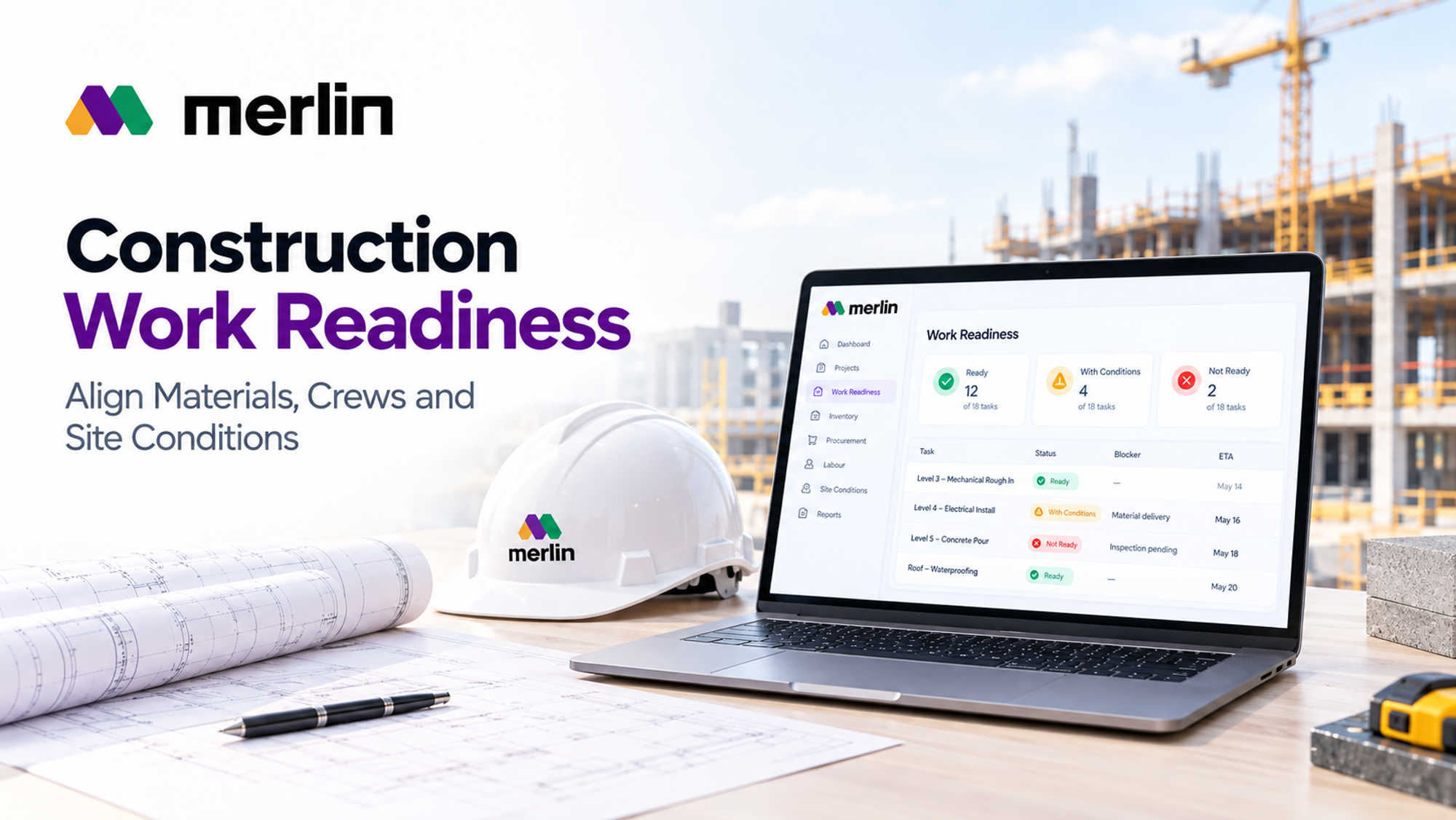
The crew arrives at seven. By twenty past, the foreman is on the phone: the pipe fittings are on site but half the kit is missing, the stair core has not been released by the previous trade, and the inspection that should have cleared the slab is still pending. Six people are now being paid to wait.
Construction work readiness is the discipline of confirming that materials, crews, information, equipment, and site conditions are all in place before work starts. Contractors achieve it by using construction ERP software to connect purchasing, inventory, labour planning, and site status in one live record, so every blocker appears with an owner and a date days before the crew is due.
How Construction ERP Connects Work Readiness With Daily Crew Planning
Most crew plans fail before the first shift starts, and the cause is rarely effort. The schedule sits in one tool, purchase orders in another, and the foreman's knowledge of site conditions lives in a phone or a notebook. Nobody sees all three at once, so a missing pallet or a blocked stairwell only appears when the crew is already standing there.
Construction ERP software fixes this by attaching a readiness status to every task in the daily plan. That status is not typed in by hand. It is calculated from linked records:
- Procurement: purchase order status, confirmed delivery dates, and supplier changes
- Inventory: quantities reserved for the task, their location, and their inspection status
- Labour: crew availability, skills, certifications, and competing assignments
- Site conditions: predecessor completion, area access, permits, and inspection hold points
- Equipment: booked plant, tools, and lifting windows
Lean construction practitioners call the practice of clearing these items before work is scheduled make ready planning. ERP turns it from a meeting ritual into a live system. A planner opening tomorrow's plan sees which tasks are green, which are amber with a named blocker, and which are red and should not be released.
A typical rhythm looks like this:
- Lookahead review (weekly): the planner scans the next three to six weeks and flags tasks with open constraints
- 72 hour confirmation: owners of open constraints confirm status, and the plan is adjusted while there is still time
- Evening release: tasks that pass the readiness check are released to supervisors for the next day
- Morning huddle: foremen review the ready list, confirm crews and materials, and report anything that changed overnight
A platform such as the MerlinAI construction ERP platform supports this by holding materials, labour, and cost on one connected record, so the readiness status updates as soon as a delivery slips or a crew is reassigned.
What Should a Construction Work Readiness Checklist Include Before Crews Start?
A construction work readiness checklist should confirm six things for every work package: information, materials, labour, equipment, site conditions, and approvals. If any category fails, the package is not released.
- Information: current drawings, closed RFIs, approved submittals, and any design changes that affect the scope
- Materials: correct items and quantities, delivered or scheduled with a confirmed date, inspected, and staged near the work area
- Labour: the right crew size and skills, valid tickets and certifications, and no double booking on other tasks
- Equipment: tools, plant, and lifting or access equipment booked and inspected for the same window
- Site conditions: predecessor work complete, area clear and accessible, utilities and temporary works in place, and weather within limits
- Approvals: permits, safety plans, inspections, and client or consultant instructions confirmed before work begins
Three habits make the checklist useful rather than decorative.
Make it specific to the task. A generic list ticks itself. A checklist for a level three mechanical rough in should ask about sleeves, hangers, and ceiling access, not just "materials on site".
Give every failed item an owner and a date. A red item with no name attached is only a complaint. Once a person and a deadline are attached, it becomes a constraint that someone can resolve.
Use three states, not two. Ready, ready with conditions, and not ready. Conditional status lets a crew start the first half of a level while a final delivery arrives at noon. Two state checklists push teams to either over release or freeze work that could have proceeded.
When the checklist lives inside construction ERP software, most answers populate on their own from purchasing, inventory, and scheduling data. The foreman only confirms what the system cannot know, such as whether the area is physically clear.
Why Inventory Availability Does Not Always Mean Material Readiness
Inventory availability tells you the company owns a quantity of an item. Material readiness tells you that this crew can install that item on this task today. The first is a stock figure. The second is a task specific judgement, and confusing the two is one of the most common causes of lost crew hours.
Here is how the gap appears in practice:
- Reserved elsewhere: the stock exists but is allocated to another project or package
- Wrong location: the items are in the warehouse or a supplier yard, not on the floor where work is planned
- Incomplete kits: most of a fitting set is present, and one missing component stops the whole task
- Quality holds: deliveries are received but not inspected, or a certificate is missing
- Revision mismatch: a design change has made the received item unsuitable for this package
- No handling plan: the material is on site, but no crane slot, hoist time, or laydown space is booked
Think of inventory availability as a question about the stockroom, and material readiness as a question about the workface. A stockroom can be full while a workface sits idle.
Construction ERP software closes the gap by reserving stock against specific work packages, tracking location from supplier to laydown area to floor, and checking kit completeness before release. Each package receives a material readiness score, for example eight of ten line items ready, with the two open items listed beside their delivery dates and owners.
Foremen can then decide whether to start a partial scope or resequence, instead of discovering the shortage at the storage container.
How to Resolve Construction Constraints With Clear Owners, Deadlines, and Escalation
Construction constraint management works when every blocker is treated as a tracked item, not a topic in a meeting. Constraints with no owner and no date tend to age quietly until the morning the crew arrives.
Use this sequence for construction constraint management on every project:
- Log the constraint against the task: record it where it is found, with a category such as material, information, labour, access, equipment, or approval
- Assign one named owner: a person, not a department. "Procurement" cannot answer a phone call, but the buyer handling that order can
- Set a need by date: work backwards from the planned crew start, allowing for lead time and a buffer for inspection or rework
- Define escalation triggers in advance: for example, an item unresolved five working days before start goes to the project manager, and one unresolved two days before start goes to the operations lead, who decides whether to delay or resequence
- Close with evidence: a constraint is closed when the delivery is received, the RFI is answered, or the inspection is passed, not when someone says it is handled
Avoid these common mistakes:
- Logging constraints in meeting minutes where nobody can filter or report on them
- Naming a team as the owner
- Setting the deadline as the crew start date, which leaves no room to react
- Letting escalation depend on a foreman's willingness to chase
Construction ERP software strengthens construction constraint management by sending reminders to owners as need by dates approach, routing overdue items to the next person in the escalation path, and showing the planner a constraint list sorted by risk to the schedule. A weekly review of constraint ageing, meaning how long each item has stayed open, quickly shows which suppliers, approvals, or internal steps are slowing the site.
Releasing Ready Work Packages and Resequencing Blocked Tasks Without Creating Trade Conflicts
Release a work package only when its checklist passes, and keep a small backlog of ready packages so a blocked task never leaves a crew idle. One to two weeks of ready work gives supervisors somewhere sensible to move people.
Resequencing is where many programmes get damaged. A foreman redirects a crew to whatever is nearby, and that crew ends up in the same corridor as the electricians or in an area the next trade was promised. Two approaches show the difference.
Informal resequencing depends on memory and phone calls. The crew moves quickly, but nobody checks zones, hoist bookings, or inspection windows, and the conflict is discovered when two foremen meet on the same floor.
Governed resequencing works from shared data. The planner sees every ready package, every trade's planned zone, and every dependency, then picks a replacement task that fits the crew's skills without clashing with anyone.
A simple resequencing routine:
- Identify the blocked task and list every task that depends on it
- Filter ready packages that match the crew's skills and tools
- Check zone, access, hoist, and laydown overlap with other trades
- Confirm the change with affected foremen before the crew moves
- Publish the revised daily plan so supervisors, suppliers, and inspectors see the same version
The blocked task still needs attention. Its constraint stays on the log with an owner and a date, and its successors are flagged so the delay is visible before it spreads. Contractors who run their own crews alongside subcontractors can use MerlinAI ERP built for contractors to keep people, materials, and project data connected, which makes these trade by trade checks quicker to run.
Using Crew Downtime Data to Improve Procurement, Labour Allocation, and Future Planning
Every hour a crew waits is data, provided someone records why. Ask foremen to log downtime against a short list of reason codes: waiting on material, waiting on information, waiting on access, equipment, rework, weather, and other. Keep the list short enough to complete during a busy shift, and let the ERP tie each entry to a crew, task, and work package.
After a few weeks, patterns appear:
- Procurement: repeated material waits linked to one supplier or item type point to lead times that are too optimistic. Order earlier, add a buffer for those items, request fixed delivery windows, or qualify a second supplier
- Labour allocation: frequent access delays suggest crews are booked before predecessors finish. Stagger start dates or move crews to ready areas instead of paying for overtime to catch up
- Future planning: actual durations and constraint frequencies should feed estimates and lookahead standards. If ceiling packages routinely lose a day to late inspection, build that day into the plan
Track a small set of measures each week:
- Downtime hours by cause
- Percentage of planned tasks completed as scheduled
- Percentage of work packages released with every checklist item passed
- Average age of open constraints
Compare these numbers from project to project. The goal is not to blame a crew or a buyer, but to show which upstream step keeps failing so it can be fixed once for every job.
Work readiness becomes a habit when the data is current and the owners are named. Teams ready to bring procurement, labour, and site planning into one system can explore MerlinAI construction ERP plans and book a demo.
Frequently Asked Questions
What is construction work readiness?
Construction work readiness means confirming that everything a task needs is in place before the crew starts: information, materials, labour, equipment, access, and approvals. It moves problem solving from the morning of the shift to days earlier, when there is still time to fix things.
How far ahead should contractors check work readiness?
Use layers. Many contractors review a lookahead of three to six weeks to catch long lead constraints, confirm critical tasks about 72 hours out, and run a final check the evening before release. Items with long lead times, such as switchgear or precast elements, need attention even earlier.
What is the difference between material readiness and inventory availability?
Inventory availability means stock exists somewhere in the business. Material readiness means the correct, inspected, complete items are in the right place, reserved for the task, and ready to install with the crew and equipment scheduled. Stock can be available while the material is not ready.
Can smaller contractors use construction ERP software for constraint management?
Yes. Start with one project and a short list of constraint categories, then expand as the habit forms. The value comes from clear owners, dates, and escalation paths, and the software makes them visible and consistent. Smaller teams have fewer people available to chase issues by hand, so shared visibility helps.
Which metrics show whether construction work readiness is improving?
Track the percentage of planned tasks completed as scheduled, the share of packages released fully ready, downtime hours by cause, and the average age of open constraints. Falling downtime and shorter constraint ageing alongside rising plan reliability show that problems are being removed before crews arrive.