From Construction to Production: Why Resource Management Software Matters for Contractors
Contractors scaling past a few projects hit the wall manufacturers solved decades ago. What resource management software does and how to choose it.
 Sneha Kumari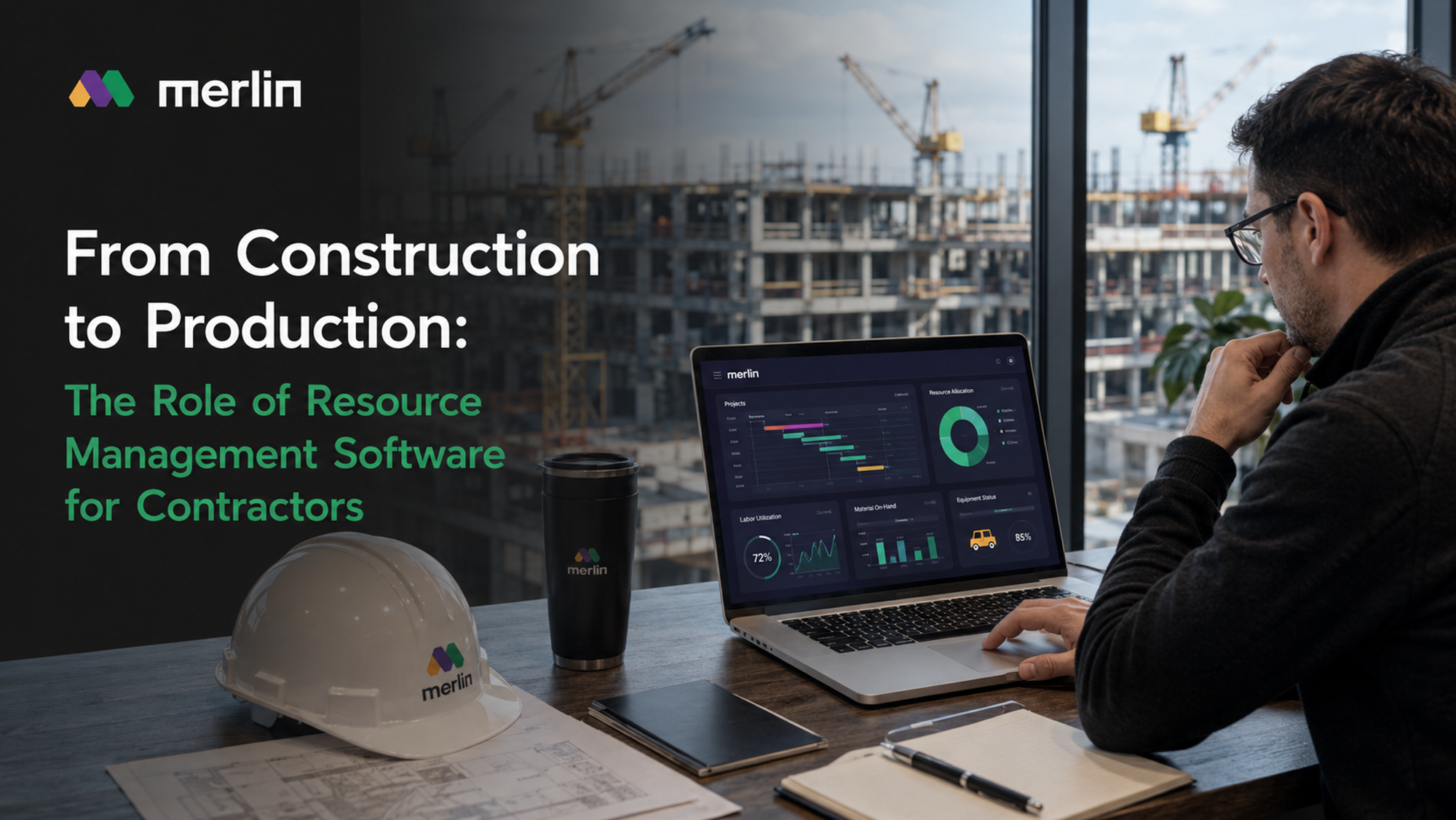
Contractors used to compete on relationships and reputation. Today, the ones pulling ahead compete on something less visible but far more decisive: how efficiently they turn raw resources labor, materials, equipment, time into finished output. That shift, from construction as a craft to construction as a production discipline, is the single biggest operational change happening in the industry right now. And at the center of it sits one category of technology: resource management software.
This guide is a starting point. It lays out what resource management software actually does for contractors, why the "industrialisation" of construction operations depends on it, what to look for when evaluating a platform, and how it fits alongside and differs from the other systems in a contractor's tech stack. Wherever a topic goes deeper than this guide can, we've linked out to a dedicated page on that subject.
Why "From Construction to Production" Is More Than a Slogan
Manufacturing solved its efficiency problem decades ago by treating every job as a repeatable, measurable process: inputs go in, a system tracks them, outputs come out on schedule and on budget. Construction has historically resisted that model because every project felt bespoke different site, different crew, different weather, different client.
That excuse is running out. Contractors who scale past a handful of concurrent projects hit the same wall manufacturers hit a century ago: without a system tracking resources across jobs, the business runs on institutional memory, spreadsheets, and whoever shouts loudest in the Monday meeting. Margins erode not because crews work less hard, but because nobody has real-time visibility into where labor, materials, and equipment are actually being consumed versus where they were planned to be consumed.
Resource management software is the mechanism that makes the production mindset possible in construction. It gives contractors the same operational backbone manufacturers rely on: a live, single source of truth for what resources exist, where they're allocated, and how efficiently they're being used.
Construction Management and Software Solutions
The construction technology landscape is crowded, and it's easy to lump every tool into one bucket labeled "construction software." In practice, contractors are usually managing several distinct categories of solutions at once, each solving a different layer of the operation:
- Estimating and bidding tools that price out jobs before they're won.
- Project management platforms that schedule tasks, track submittals, and coordinate stakeholders once a job is underway.
- Accounting and job costing systems that track spend against budget.
- Resource management and ERP platforms that manage the actual people, materials, and equipment consumed across every active job.
The mistake many contractors make is assuming project management software already covers resource management. It doesn't not really. A project schedule tells you when a task should happen. Resource management software tells you whether you have the labor, materials, and equipment available to make it happen, and what it's costing you in real time as it does. For a full breakdown of how project management platforms differ from true resource and production management systems, see our dedicated comparison on Construction Project Management Software.
Software solutions built for construction management generally fall into a maturity curve:
- Spreadsheets and disconnected tools — the default starting point for most small and mid-size contractors, functional until a business tries to run more than 2–3 projects simultaneously.
- Point solutions — dedicated tools for one function (scheduling, or estimating, or timesheets) that don't share data with each other.
- Integrated platforms — systems where resource data, cost data, and schedule data live in one place and update each other automatically.
- Production-grade ERP/resource platforms — systems purpose-built to treat construction like an industrialised operation, with resource planning, cost control, and inventory management as native, connected functions rather than bolted-on modules.
Contractors industrialising their operations are, almost by definition, moving from stage 1 or 2 toward stage 3 or 4. Resource management software is the connective tissue that makes that jump possible.
What Resource Management Software Actually Does
Strip away the marketing language and resource management software performs four core functions for a contractor:
1. Labor allocation and tracking. Knowing which crews, subcontractors, and internal staff are assigned to which jobs, at what capacity, and for how long and catching conflicts before they become costly.
2. Materials and equipment tracking. Knowing what materials and equipment exist, where they are, which job they're committed to, and when they'll be available again. This overlaps heavily with Inventory & Warehouse Management, which we cover in depth separately the two disciplines are inseparable in a production-oriented operation.
3. Cost visibility in real time. Connecting resource consumption directly to budget so a contractor knows mid-project, not post-mortem, whether a job is trending over or under. This is the operational half of what we explore fully in our Estimating & Cost Control guide.
4. Cross-project capacity planning. For contractors running multiple jobs at once, resource management software answers the question that spreadsheets can't: "If I take on this next project, do I actually have the labor and equipment to deliver it without starving my current jobs?"
None of these four functions work well in isolation. A labor tracker that doesn't talk to your cost data just produces more reports nobody reads. This is why the strongest resource management platforms are increasingly built as part of a broader ERP & Manufacturing Software approach treating construction operations with the same systems discipline as a manufacturing production line.
What Should I Consider When Choosing Construction Management Software?
Evaluating construction management and resource management software is where most contractors either set themselves up for a genuine industrialisation win or buy another point solution that gathers dust in six months. A few considerations matter more than the feature checklist:
- Does it unify resources with cost, not just schedule? Many tools show you a calendar of assignments. Fewer connect that calendar to real cost consumption. If a platform can't tell you, in near real time, what a resource allocation is costing against budget, it's a scheduling tool wearing a resource management label.
- Can it scale across concurrent projects, not just within one? Single-project tools look great in a demo and fall apart the moment a contractor is running eight jobs simultaneously with shared crews and shared equipment pools. Ask specifically how the platform handles cross-project resource conflicts.
- Does it treat inventory and materials as a first-class function? Materials delays and mismanaged stock are among the most common causes of schedule and cost overruns in construction. A resource management platform that ignores warehouse and inventory logic is only solving half the problem see our Inventory & Warehouse Management page for what a properly integrated system should handle.
- Is it built for construction's specific operating reality, or adapted from generic manufacturing software? Generic manufacturing resource planning software often assumes fixed production lines and predictable throughput assumptions that don't hold on a job site where weather, site access, and subcontractor availability change daily. Construction-specific resource management software should account for that variability natively rather than forcing contractors to work around a rigid manufacturing template.
- How does it handle implementation and adoption? The best system in the world fails if field teams won't use it. Look for mobile-first data entry, minimal manual re-entry, and a genuinely short learning curve for site supervisors and crews not just office staff.
- Does it integrate with your existing estimating and accounting stack? Resource management software shouldn't force a rip-and-replace of every other tool. Strong platforms integrate with or fully absorb the estimating and cost control workflows contractors already depend on. This is where the line between "resource management software" and full ERP & Manufacturing Software starts to blur, and it's worth understanding the distinction before you buy.
- Is pricing structured for growth or does it punish scale? Per-project or per-user pricing models can quietly become expensive as a contractor scales headcount and job volume the same growth the software is meant to support. Ask how pricing evolves as usage grows.
What Are the Best Construction Inventory Management Software Options?
Inventory and materials management deserves its own evaluation lens, because it's frequently the weakest link in a contractor's resource operation and the one most likely to cause visible, expensive failures like site delays, duplicate ordering, or dead stock sitting in a yard.
When evaluating construction inventory management software whether standalone or as part of a broader resource management platform prioritize:
- Real-time stock visibility across multiple sites and yards. Contractors juggling several active jobs need to know what's on-site, what's in the warehouse, and what's in transit, without a phone call to the site supervisor.
- Automatic reorder triggers tied to project schedules. Inventory management that's disconnected from the project timeline leads to either emergency procurement (expensive) or overstocking (cash tied up in materials nobody needs yet).
- Equipment tracking alongside consumable materials. Tools and heavy equipment need the same visibility as materials knowing which crew has which equipment and when it's due back prevents costly duplicate rentals or purchases.
- Barcode or mobile-based check-in/check-out. Manual inventory logs are the single biggest reason inventory data goes stale. Field-friendly, low-friction data capture is non-negotiable.
- Native integration with cost control. Inventory that isn't tied to job costing tells you what you have, but not what it's costing you against the budget for that specific project.
The strongest options on the market today are the ones that don't treat inventory as a bolt-on module but build it as a native part of a resource management or ERP system because materials data is only useful when it's connected to labor data, schedule data, and cost data in the same place. We go deeper into specific evaluation criteria, workflows, and platform comparisons on our dedicated Inventory & Warehouse Management page.
Manufacturing Resource Planning: What Construction Can Borrow (and What It Can't)
It's worth being direct about the relationship between manufacturing resource planning (MRP) software and construction resource management software, since the terminology overlaps and the confusion is common.
MRP systems were built for environments with predictable, repeatable production: fixed bill of materials, stable production lines, forecastable demand. Construction shares the underlying logic resources go in, a finished product comes out but almost none of the operating conditions. Every project has a unique bill of materials, site conditions vary daily, and labor is a mix of internal crews and subcontractors rather than a fixed factory floor headcount.
What construction should borrow from manufacturing resource planning is the discipline: treating labor, materials, and equipment as trackable, plannable, costable resources rather than variables managed by memory and instinct. What it shouldn't borrow is the assumption of stability. The best construction resource management software takes MRP's core discipline and rebuilds it around the variability that defines job sites which is exactly the gap that generic, manufacturing-first ERP tools tend to fall into when they're retrofitted for construction rather than built for it.
Where This Fits in a Contractor's Broader Tech Stack
Resource management software doesn't replace everything else in a contractor's stack it's the layer that makes the rest of the stack actually reflect reality. A well-built estimate is only as good as the resource data that goes into future estimates. A project schedule is only reliable if it reflects actual resource availability. Cost control reporting is only accurate if it's fed by real-time labor and materials consumption, not end-of-month reconciliation.
That's why contractors serious about industrialising their operations tend to think about four connected pillars rather than four separate tools:
- Estimating & Cost Control — pricing jobs accurately and tracking spend against budget throughout execution.
- Inventory & Warehouse Management — knowing what materials and equipment exist and where they're committed.
- ERP & Manufacturing Software — the unifying system that treats construction operations with production-grade discipline.
- Construction Project Management Software — scheduling and coordinating the work itself, distinct from (but dependent on) resource availability.
Resource management software is the thread running through all four. Contractors who invest in it aren't just buying a tool they're making the operational shift from running projects to running a production system, one job at a time.
Frequently Asked Questions
1. What is construction resource management software?
Construction resource management software is a platform that tracks and coordinates labor, materials, and equipment across active projects in real time, connecting that resource data to cost and schedule information so contractors can see availability, utilization, and spend as they happen rather than after the fact.
2. How is resource management software different from construction project management software?
Project management software focuses on scheduling tasks, tracking submittals, and coordinating stakeholders on a specific job. Resource management software focuses on whether the labor, materials, and equipment needed to execute that schedule actually exist and are available often across multiple concurrent projects, not just one.
3. Can manufacturing resource planning software be used directly for construction?
Not effectively without adaptation. Manufacturing resource planning software assumes stable, repeatable production conditions, while construction involves unique project scopes, variable site conditions, and mixed internal/subcontractor labor. Construction-specific resource management software applies the same planning discipline but is built to handle that variability natively.
4. What features should contractors prioritize when comparing resource management software options?
Real-time labor and materials visibility, native cost control integration, cross-project capacity planning, mobile-friendly field data capture, and inventory or warehouse management as a built-in function rather than a separate add-on are the features that most directly impact day-to-day operations.
5. Why do contractors need inventory and warehouse management as part of resource management, not as a separate system?
Materials and equipment availability directly affects labor scheduling and project cost. When inventory data lives in a separate, disconnected system, contractors lose real-time visibility into how materials shortages or surpluses are affecting active jobs which is why the strongest platforms treat inventory as a native part of resource management rather than a standalone tool.