HVAC Contractor Software: How to Manage Projects, Inventory, Dispatch, and Service Contracts
Manage HVAC projects, inventory, field crews, dispatch, and service contracts in one connected system built for growing HVAC contractors.
 Sneha Kumari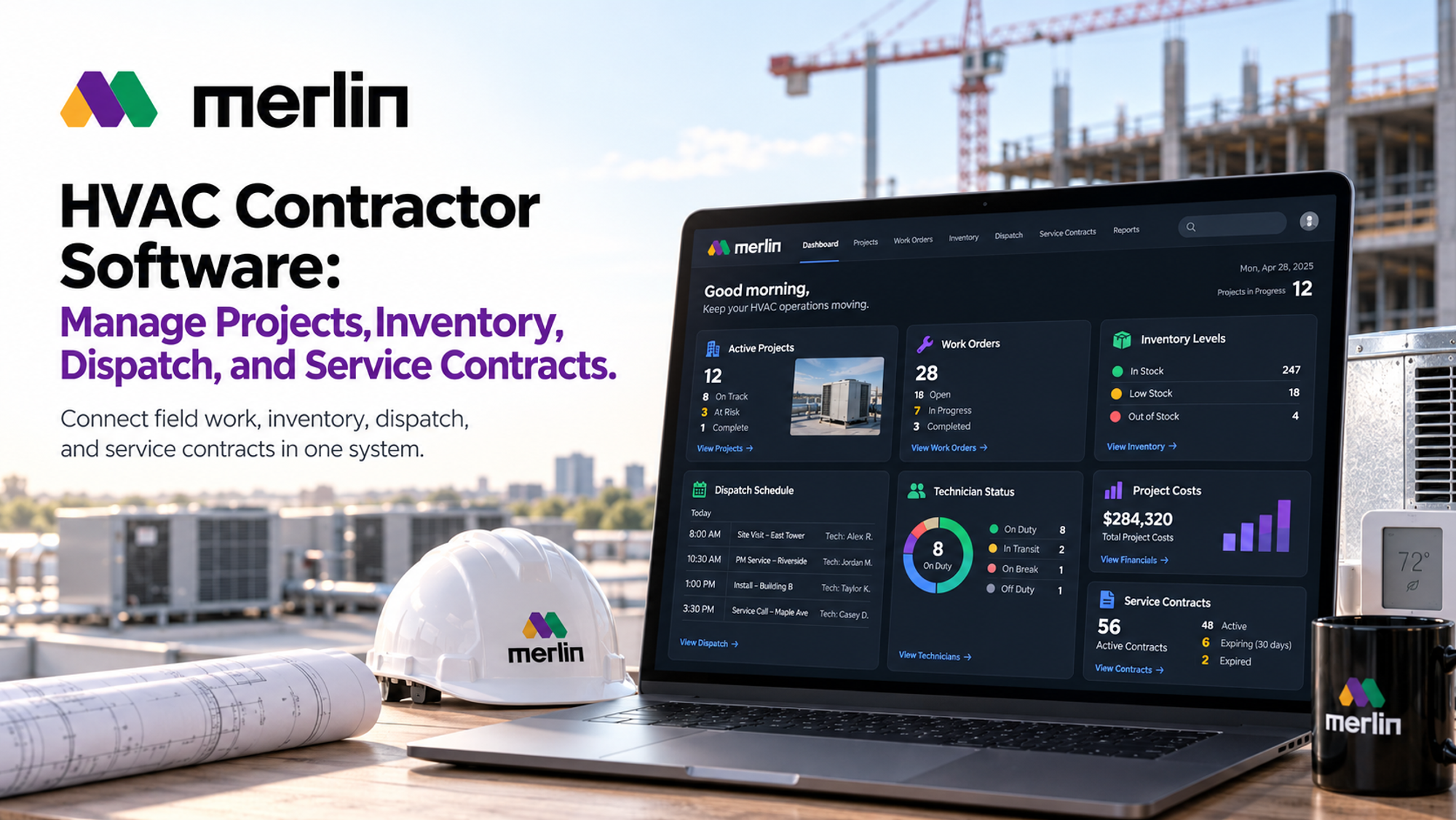
HVAC contractor software works by connecting four things that usually live in separate tools: project schedules, materials on hand, technician dispatch, and the service contracts that keep commercial accounts renewing, into one operational record. For a mechanical contractor running install crews, service trucks, and a warehouse full of equipment at the same time, that connection is the difference between a job costing report that only tells the truth after the invoice is already wrong, and one that flags a problem while there is still time to fix it.
This guide walks through what that connection looks like in practice: how labour, materials, and work orders feed a live project cost picture, how inventory should be tracked across the warehouse, service trucks, and jobsites, how project management should carry a job from procurement through field installation, what specialized software adds to field dispatching, and the features that matter most for managing commercial service contracts at scale.
How HVAC Contractor Software Connects Labour, Materials, Work Orders, and Project Costs
HVAC contractor software connects labour, materials, work orders, and project costs by tying every hour a technician logs and every part pulled from stock to the specific job it belongs to. That way the true cost of a project is visible while the work is still underway, not weeks later when the invoice already looks wrong. Instead of technician time sheets, material pick lists, and job costing reports living in three separate tools, the work order becomes the single record that links all three together.
In practice, the flow looks like this: a technician clocks into a work order from a phone or tablet, logs labour against that specific job, and pulls parts from truck or warehouse stock that get deducted from inventory and costed to the job the moment they are used. As materials are installed and hours are logged, the cost rolls up to the project budget in something close to real time, so a manager can compare budget to actual today instead of waiting for month end reconciliation.
What gets tied together, in a system built this way:
: Labour: hours logged per technician, per work order, at the correct labour rate and crew assignment : Materials: parts and equipment issued from warehouse or truck stock, costed against the job the moment they are used, not batched and reconciled later : Work orders: the operational record that connects scope, schedule, assigned crew, and the materials list into one place : Project costs: a live budget versus actual comparison, rather than a report that only tells the story after the job has closed
This matters more for HVAC contractors than it might for some other trades, because the mix of work is rarely one dimensional. A contractor might run new construction installs, service and repair calls, and recurring maintenance contracts at the same time, each with a different cost structure and margin target. MerlinAI's construction operations platform is built around this idea directly: materials, labour, and cost are treated as one continuously updated picture of the job rather than three separate reports that get reconciled after the fact. Our detailed look at construction software that manages materials, labour, and cost together covers what to look for if this connected view is the priority, whatever trade is running the job.
HVAC Inventory Management Software for Warehouses, Service Trucks, and Jobsites
HVAC inventory management software tracks stock across three separate locations at once: the central warehouse, each service truck, and jobsite staging for larger installs, tying every unit to a specific work order or project so nothing gets pulled without a record of where it went.
Each of the three layers behaves differently, and inventory software built for HVAC contractors needs to account for that:
- Warehouse stock: bulk inventory of equipment such as condensers, air handlers, and furnaces, along with refrigerant, ductwork components, and fittings. This is where purchasing decisions and reorder points live.
- Service truck stock: the rolling inventory a technician carries day to day. Replenishment should trigger automatically once truck stock drops below a set par level, so a technician isn't driving back to the shop mid call for a part that should already have been on the truck.
- Jobsite staging: for larger commercial installs or new construction, materials get staged onsite ahead of the crew's arrival and reserved against that specific project, so they don't quietly get used on a different job by a different crew.
Many HVAC contractors also run their own duct or sheet metal fabrication shop, which adds a fourth layer: raw material stock that feeds production before it ever becomes a finished component headed to a truck or a jobsite. That is one reason more contractors are building out warehouse and shop floor operations rather than renting space job by job. Our piece on why more contractors are opening their own warehouses walks through the functions a contractor warehouse needs to actually earn its keep, from receiving through project allocation.
For equipment and materials that need to be tracked individually rather than just by quantity, refrigerant by cylinder, or an installed unit by serial number for warranty purposes, that record needs to follow the item from receiving through installation, not stop at the warehouse door. Good HVAC inventory management software keeps that trail intact across every location the item passes through.
HVAC Project Management Software: From Procurement and Scheduling to Field Installation
HVAC project management software should manage the entire path from bid to closeout as one connected sequence: procurement of equipment, scheduling of both the fabrication shop and the field crew, and finally documentation and closeout, rather than as separate tools that each cover one piece and lose the thread when work hands off between them.
That path typically runs through five stages:
- Estimating and bid: quantities are taken off, equipment is specified, and labour and material costs are estimated to build the number that goes out the door.
- Procurement: long lead equipment such as rooftop units or chillers gets ordered against the project schedule, with purchase orders tracked against the site milestones that depend on them arriving on time.
- Production scheduling: for contractors running a duct or piping fabrication shop, shop floor work needs to be scheduled to match the site's actual readiness date, not run ahead of it and tie up laydown space, or fall behind it and hold up the install crew.
- Field installation scheduling: crews are assigned by trade and certification and sequenced against the other trades working the same commercial site.
- Closeout: as built documentation, equipment start up records, and warranty registration get captured while the job details are still fresh, not reconstructed weeks later from memory.
Commercial HVAC work adds real complexity to this sequence. A single project might span several building phases, require coordination with a general contractor's master schedule, and generate a steady stream of submittals and RFIs that can shift equipment specifications mid job. A generic project scheduling tool can track dates well enough, but it does not usually know that a schedule slip on the fabrication side means a material shortage on site next week. Specialized HVAC project management software should carry the bill of materials, the crew assignment, and the equipment specification behind every schedule line, so a slip anywhere in the sequence surfaces the conflict automatically instead of getting discovered on site.
Keeping that fabrication to field connection alive is worth treating as its own discipline. Our guide to synchronizing fabrication schedules with the site's installation timeline covers how to build schedules backward from confirmed site readiness dates rather than forward from shop capacity, which is the approach that keeps duct and equipment production aligned with when the crew can actually install it.
How can specialized software improve field dispatching and technician efficiency
Specialized software improves field dispatching by matching the right technician to a job based on skill, certification, and location, along with the equipment history already on file for that site, then pushing the work order straight to the technician's phone instead of relying on a paper ticket or a radio call back to the office.
A few specific mechanisms drive most of that improvement:
: Skill and certification matching: refrigerant handling certification, brand specific equipment training, and licensing requirements are checked automatically, so a dispatcher is not guessing which technician can actually take a given call. : Location aware routing: the nearest available technician with the right skill set gets the assignment, cutting drive time between calls and getting more jobs done in a working day. : Mobile work orders: equipment history, warranty status, and prior service notes travel with the technician, cutting diagnostic time spent asking the customer what happened last time. : Real time status updates: the office sees a job move from assigned to in progress to complete without a phone call, so the next call in the queue can go out sooner. : Technician efficiency metrics: jobs completed per day, first time fix rate, and time on site versus time spent driving become visible to a dispatcher and a manager, not just tracked informally.
A generic scheduling calendar can assign a technician a time slot well enough. What it usually cannot do is know that a particular technician holds the brand certification a unit under warranty requires, or that a site is covered by a service contract with a two hour response commitment attached to it. HVAC contractor software that is genuinely specialized carries that trade specific context into the dispatch decision itself, rather than leaving a dispatcher to remember or look it up manually every time a call comes in.
What Are the Essential Features of HVAC Contractor Software for Managing Commercial Service Contracts
The essential features for managing commercial service contracts are contract terms and service level tracking attached to each site, recurring maintenance scheduling that generates work orders automatically, equipment and asset history kept per location, billing tied directly to the contract terms, and one consolidated view across every site covered by a single commercial account.
Each of those pieces plays a specific role:
: Contract terms and SLA tracking: response time commitments, visit frequency, and the specific equipment covered are attached directly to the account record, not filed away in a separate document that someone has to remember to check. : Recurring maintenance scheduling: preventive maintenance visits get generated automatically from the contract terms rather than tracked on a spreadsheet or a wall calendar that depends on someone remembering to update it. : Equipment and asset history: every unit's service history, filter changes, refrigerant charges, and repairs stay tied to that specific asset across the life of the contract, so a new technician on a repeat visit has full context immediately. : Contract linked billing: invoicing follows the agreed structure automatically, whether that is a flat fee, a per visit charge, or time and materials for anything outside the scope of the contract, instead of being reconciled by hand each billing cycle. : Multi site visibility: for a commercial account spanning several locations, one consolidated view shows contract status, open work orders, and renewal dates across every site at once.
Commercial service contracts behave differently from a one off repair call, because they are relationship based and renewal dependent. Missing a scheduled visit or losing track of a unit's service history at a single site can put the entire account at risk when the renewal conversation happens, not just that one visit's invoice.
Many commercial HVAC contractors also work as installing subcontractors on new construction, where the same visibility problem shows up from the other direction: a general contractor or developer needs to see the HVAC crew's progress and open work orders without chasing a phone call. Our guide on how developers track subcontractor work orders across a programme covers that side of the relationship in detail. The margin discipline that protects profitability on repeat commercial accounts follows a similar logic to what we cover in pricing strategy that protects margin on repeat work: price consistently to the value of the relationship rather than to whatever number settled the last renewal conversation.
Frequently Asked Questions
What is HVAC contractor software and who is it for?
HVAC contractor software is a purpose built platform for HVAC installation and service businesses, covering estimating, scheduling, inventory, dispatch, and service contract billing in one system. It fits residential and commercial HVAC contractors, as well as mechanical contractors who run a fabrication shop alongside their field crews.
Can one platform handle both HVAC project management and inventory management?
Yes, and ideally it should. When project management and inventory sit inside the same system, a schedule change automatically reflects against material availability, and a shortage on the schedule gets flagged before it stops a crew, rather than being discovered after the fact by two tools that never talk to each other.
How does HVAC contractor software support commercial service contracts specifically?
It stores contract terms and covered equipment against each site, generates recurring maintenance work orders automatically from those terms, and rolls billing up to match the agreed contract structure. That way a contractor managing dozens of commercial accounts is not tracking renewal dates and visit schedules from memory or a spreadsheet.
What is the difference between HVAC dispatch software and general field service tools?
General field service tools schedule a time slot. HVAC dispatch software carries trade specific context into that decision: technician certification, brand equipment training, and a service contract's response time requirement, so the assignment reflects who can actually do the job well, not just who happens to be free.
How long does it take to implement HVAC contractor software?
It varies with company size and how much historical data needs to move over, customer records, equipment history, and open contracts among them, but most HVAC contractors can expect a phased rollout. Scheduling and work orders typically go live first, with inventory and contract billing layered in afterward, over a period of several weeks to a few months rather than switching everything at once.